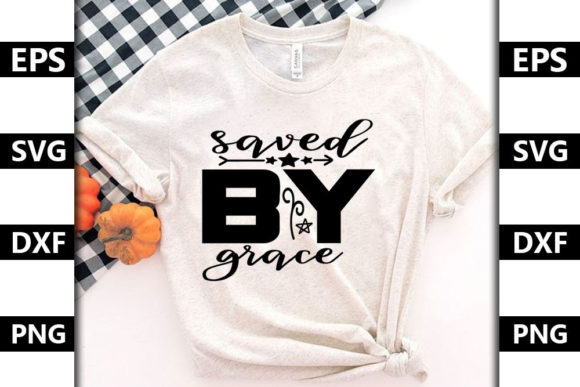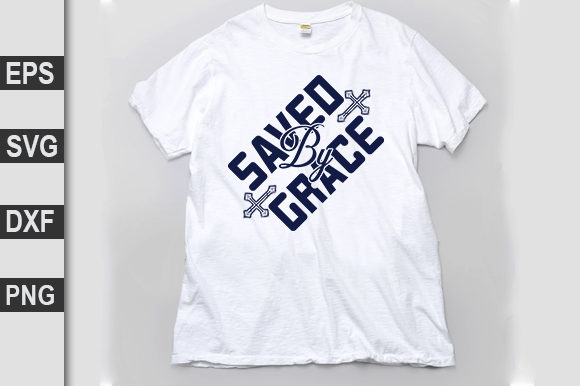
Christian SVG Design: Getting 'Saved by Grace' Right in Your Projects
Whether you're a small business owner creating faith-based apparel, a hobbyist crafting custom gifts, or a church volunteer designing banners, Christian SVG designs built around phrases like "Saved by Grace" offer a meaningful way to share your message. These digital cut files let you turn scripture or inspirational words into stickers, wall art, t-shirts, and more. But the path from download to finished product is not always smooth. Many people jump into using Christian SVG designs without understanding potential pitfalls—and the result can be wasted time, poor quality, or even legal trouble. Here we’ll uncover the most common mistakes with Christian SVG design and show you how to avoid them, so your "Saved by Grace" projects truly shine.
What You Need to Understand About Christian SVG Design Quality
Not all SVG files are created equal. A low-quality Christian SVG design may appear fine on screen but fall apart when cut or printed. The vector paths may have stray nodes, missing segments, or inconsistent stroke widths. For example, a "Saved by Grace" file with intricate cursive lettering might have gaps between strokes because the original design was traced from a bitmap. When you resize it for a large banner, those gaps become obvious. When you scale it down for a sticker, the details may clog or disappear entirely.
The better approach: before downloading or purchasing, look for samples that show the design at different sizes. Check if the file has been tested for common uses like vinyl cutting or screen printing. Reputable designers often provide detailed previews and mention whether the paths are clean. If you are creating your own Christian SVG design, take time to simplify shapes and convert text to paths to ensure consistent performance across all applications.
Licensing: A Mistake That Costs More Than You Think
One of the most overlooked details in the faith-based crafting world is licensing. A "Saved by Grace" SVG you find on a free sharing site may be labeled for personal use only. Using it to create items for sale—even at a small market—can infringe on the designer's copyright. On the flip side, some commercial-use licenses have limits on the number of items you can produce or the platforms where you can sell them. Ignoring these terms can lead to takedown notices, financial penalties, or damage to your reputation.
To avoid this mistake, always read the license before you click download. Many trustworthy marketplaces display clear licensing options: personal use, small commercial use (up to a certain number of sales), or unlimited commercial use. When in doubt, reach out to the designer. If you are a business owner, it is worth investing in a commercial license from the start—this protects both you and the creator. Keep a copy of the license for every Christian SVG design you use in your products. It is a small step that prevents big headaches later.
The Danger of Ignoring File Formats and Software Compatibility
An SVG file is a vector format, but not every program handles it well. Beginners often download a "Saved by Grace" SVG and try to open it in Microsoft Word or a basic photo editor, only to see a jumble of shapes or missing text. Others use outdated cutting machine software that does not support the latest SVG standards, resulting in broken lines or incorrect colors.
The practical fix: make sure you have a vector-capable application. Free options like Inkscape work well for previewing and editing SVGs. For cutting machines like Cricut or Silhouette, use their dedicated software (Design Space, Studio). If you are purchasing Christian SVG designs, check the file format details—some come in multiple formats (SVG, DXF, PNG) to cover various uses. A reliable designer will note compatibility. When in doubt, ask a question before buying. Testing a single small cut before committing to a large batch also saves material and frustration.
Overcomplicating Your Design with Busy Graphics
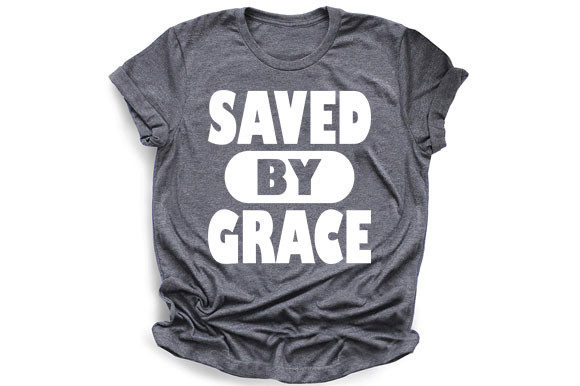
A "Saved by Grace" design that looks gorgeous as a digital image can become a mess when transferred to a physical product. Many Christian SVG files include elaborate backgrounds, multiple layers of lace-like flourishes, and small text. On a t-shirt, those fine details may not transfer well through heat press. On a vinyl decal, tiny cutouts can cause weeding nightmares and weak adhesion.
The correction: think about your final medium from the start. If you are making stickers or decals, choose bold, uncluttered shapes. A simple cross with "Saved by Grace" in a clear font often reads better than a crowded layout. For screen printing, reduce the number of colors and avoid gradients unless you plan to print in multiple layers. For digital use (e.g., social media graphics), you have more freedom—but ensure the design remains legible on a phone screen. Always preview your chosen Christian SVG design at the actual production size. If you find yourself zooming in to read it, the design is probably too complex for its intended use.
Using the Wrong Colors and Fonts
Many Christian SVG designs come with preset colors or fonts that may not suit your project. A "Saved by Grace" file might use a delicate script font that your system does not have installed. If the font has not been converted to paths, it will render as a generic fallback font—completely changing the look. Similarly, the default black or gold color may clash with your intended background or material.
The good news: you can easily customize these in vector software. Always convert text to paths when you finalize the design; this locks the appearance so it stays the same on any device. Change fill and stroke colors to match your brand or the project’s theme. For instance, a soft gray "Saved by Grace" on a white mug can look elegant, while bright red on a dark shirt commands attention. Testing color combinations in a digital mockup before cutting saves material and disappointment. Also, pay attention to the color profile—use CMYK for print projects and RGB for on-screen uses.
Downloading Without Checking the Source Reputation
The internet is full of free Christian SVG downloads, but not all are safe or legitimate. Some sites repackage stolen designs, include hidden tracking code, or even deliver files with malware. Downloading a "Saved by Grace" SVG from an unknown website may also mean you have no idea if the design is properly attributed or if it violates someone else's copyright. This can cause problems if you later try to sell products based on that design.
To stay secure and ethical, stick to established marketplaces like Creative Market, Etsy (reviewed shops), Design Bundles, or reputable Christian craft blogs. Look for designers who share their process, have positive reviews, and clearly state their licensing terms. If a price seems too good to be true for a high-detail design, consider it a red flag. Investing a few dollars in a quality Christian SVG design from a trusted source protects your projects and supports the creative community. When you download, scan the file with updated antivirus software as a routine precaution.
Making Your Faith-Based SVG Projects Shine
Christian SVG designs like "Saved by Grace" carry deep meaning. When you approach them with care—checking quality, respecting licenses, using the right tools, and adapting the design to your medium—you create pieces that truly resonate. The extra time spent vetting a file or customizing colors pays off in professional-looking results and long-lasting satisfaction. Whether you are crafting for yourself, your church, or your customers, avoiding these common mistakes means your message of grace will come through clearly and beautifully. Start your next project with these principles in mind, and you will enjoy the process as much as the finished work.